
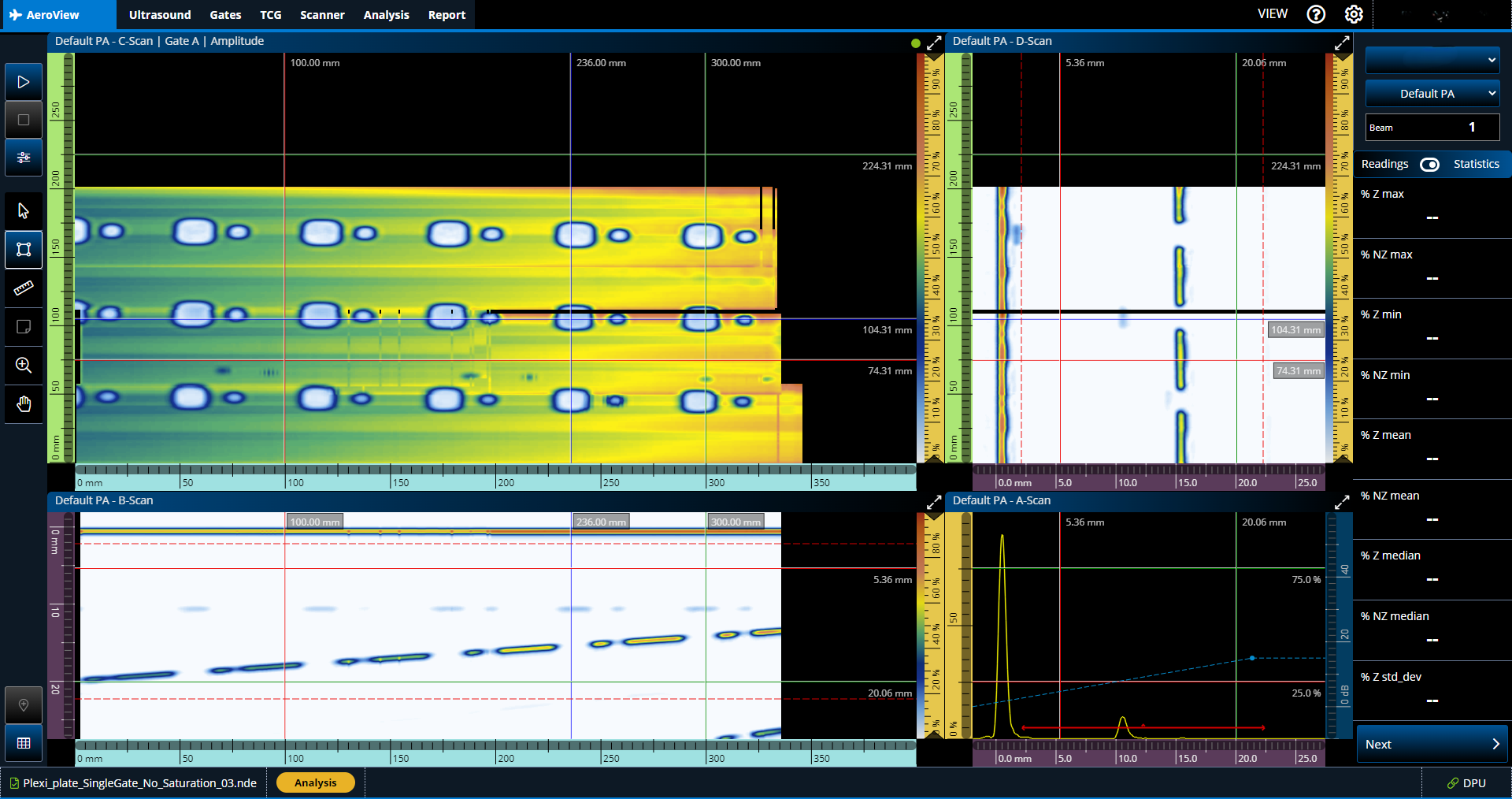
Phased Array UT Data Acquisition and Analysis Software for Aerospace
AeroView™ software enables you to acquire and analyze phased array and ultrasonic testing (PAUT) data of inspections performed at 0 degrees with an overlap. This software is specially designed to facilitate the analysis of aviation and aerospace inspection data, for both manufacturing and maintenance applications. It provides you with optimized layout and readings management and advanced analysis tools to ease interpretation of the acquired data and help ensure compliance with the specifications.
详细信息
Phased Array UT Data Acquisition and Analysis Software for Aerospace
AeroView™ software enables you to acquire and analyze phased array and ultrasonic testing (PAUT) data of inspections performed at 0 degrees with an overlap. This software is specially designed to facilitate the analysis of aviation and aerospace inspection data, for both manufacturing and maintenance applications. It provides you with optimized layout and readings management and advanced analysis tools to ease interpretation of the acquired data and help ensure compliance with the specifications.
详细信息
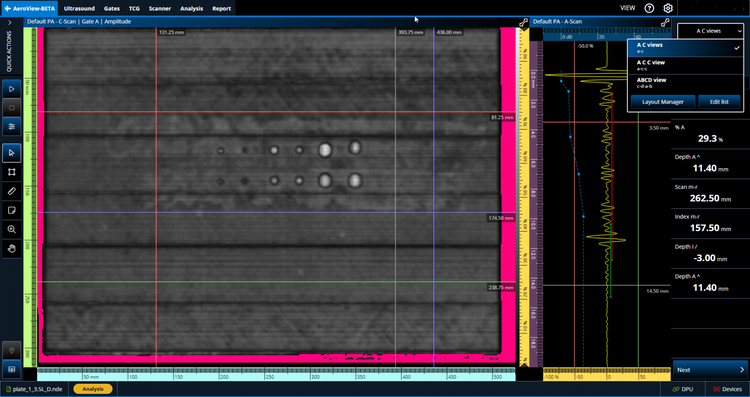
Easily switch among the layout options on the menu.
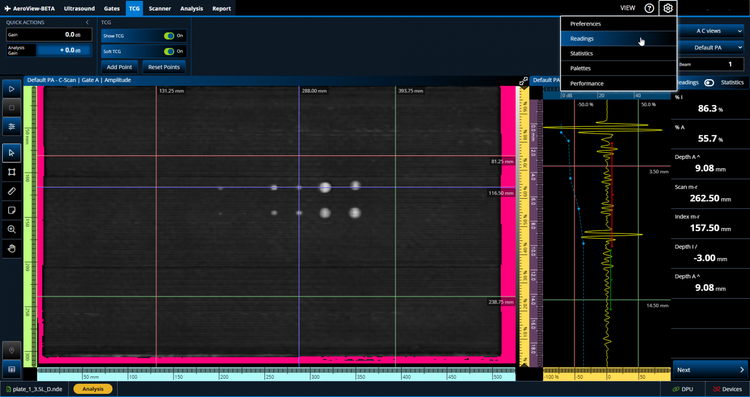
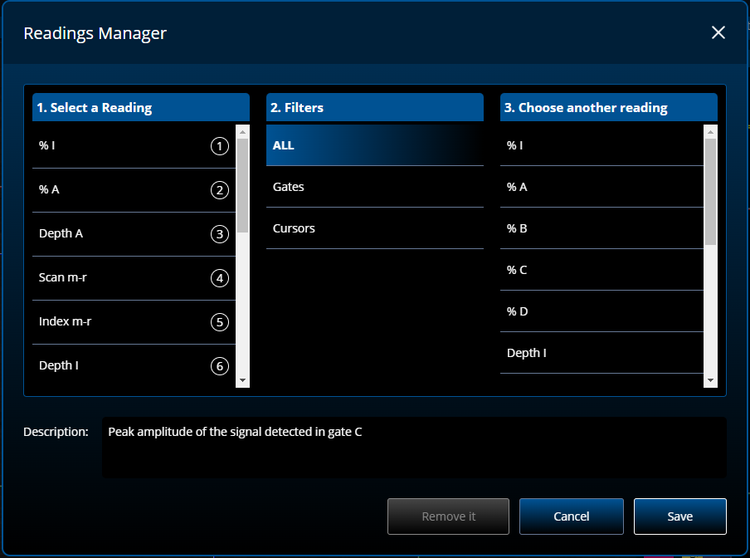
Choose which readings you want to appear in the Reading pane on the right.
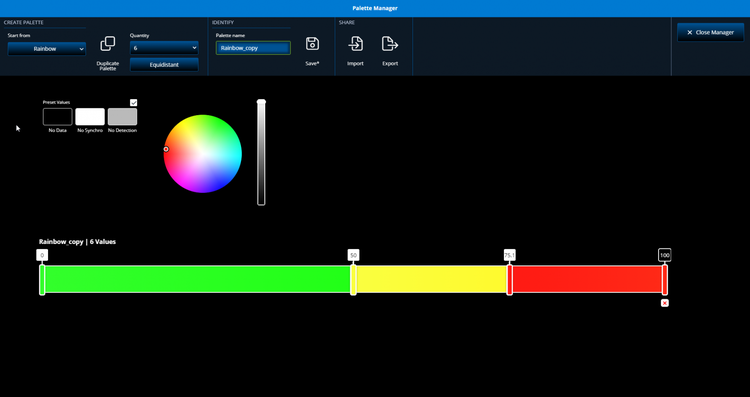
Customize the color palette or import a palette and save it.
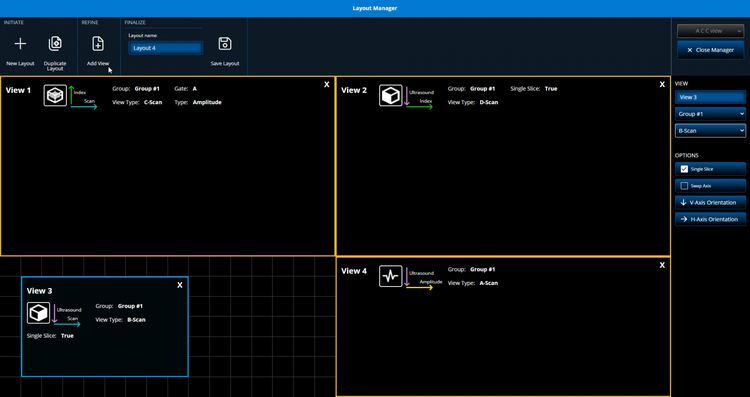
Edit and save a custom layout for your needs or to meet the manufacturer’s specifications.
Leverage the software’s analysis tools to improve your indication characterization capabilities.
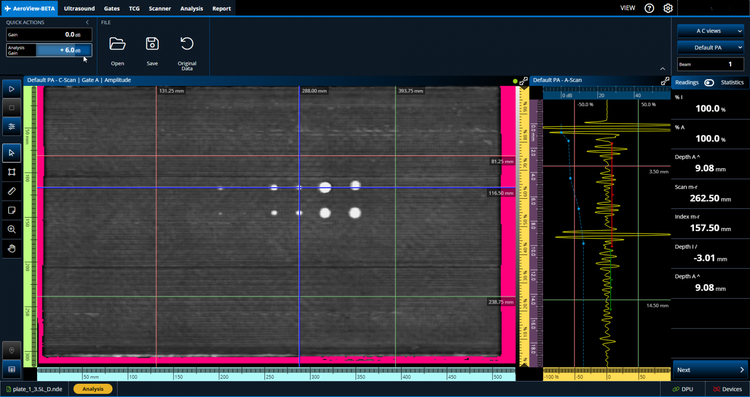
The Analysis Gain setting enables you to add or remove gain for to fine-tune the data during your analysis.
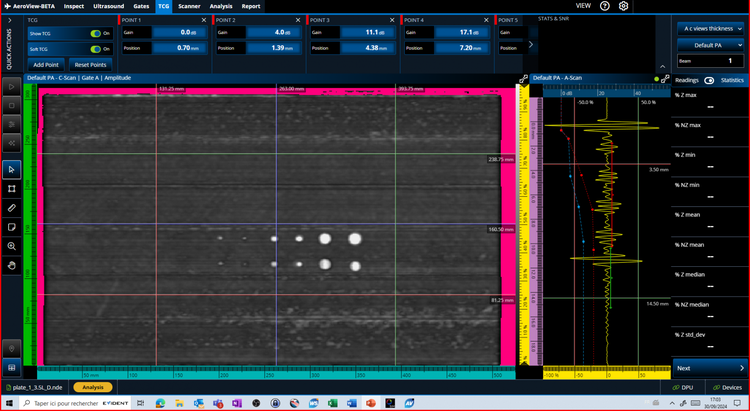
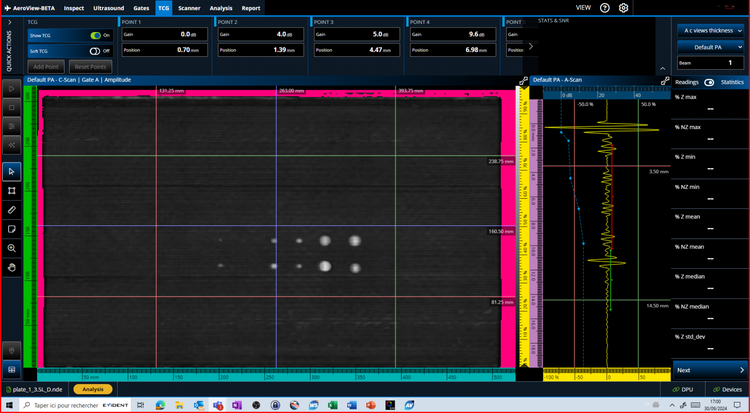
Soft TCG enables you to add and remove additional TCG points during your data analysis. You can easily toggle this software gain on and off.
Here we see the TCG that was applied during data acquisition (the blue dots and dotted line).
Now we see the C-scan image with the TCG soft for analysis toggled on (red dots and dotted line) and the user adjusted the gain by clicking and dragging the TCG points.
Enlarge a data view so it fills the screen or zoom your C-scan to one-to-one ratio to see every aspect of each indication and improve your characterization.
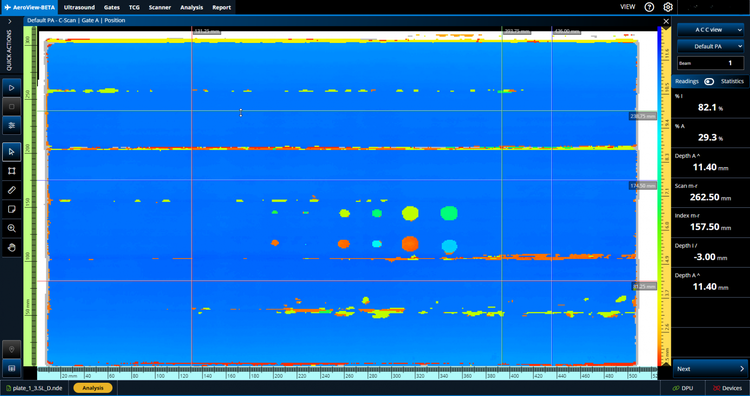
Normal viewing mode.
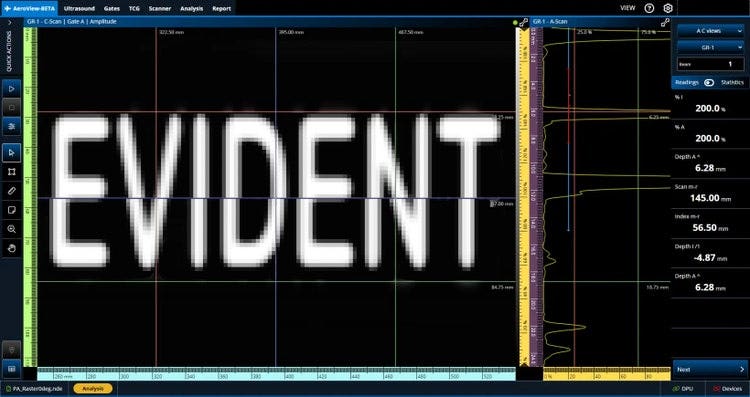
C-scan when viewed using the standard ratio.
Full-screen mode toggled on for the C-scan.
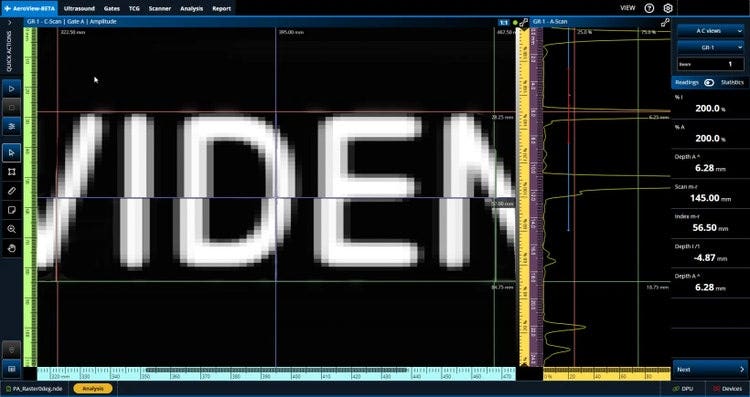
1:1 Ratio viewing activated.
Create an indication table that is customized according to the parameters you need, such as flaw type, readings, threshold, and verdict. The indication table data is stored along with a snapshot image of each indication for your report.
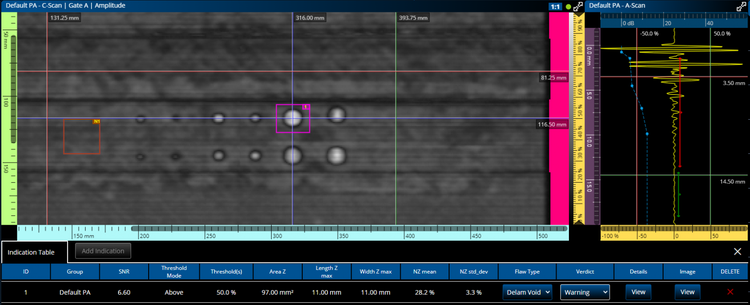
Increase the productivity of your 0-degree PAUT inspections while meeting signal-to-ratio calculation requirements of aircraft manufacturers.
The SNR calculation tools include:
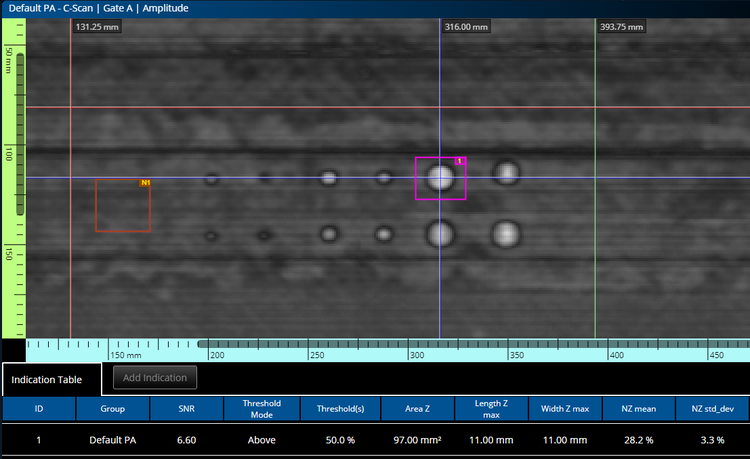
Right-click to create a noise zone (brown box) where the standard deviation of pixels vs amplitude is computed.
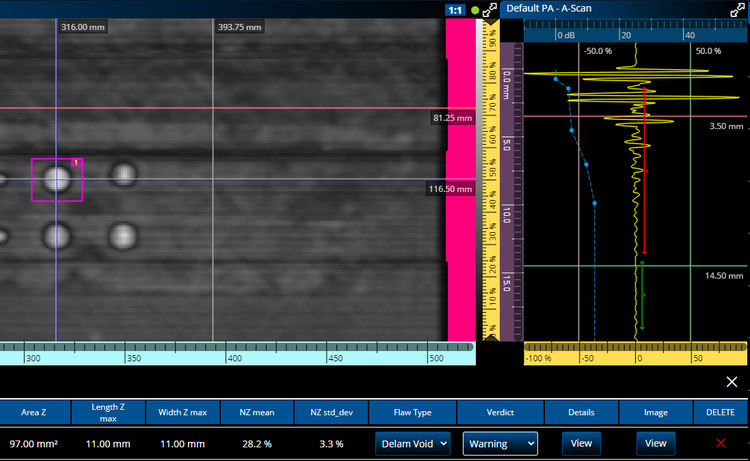
Left-click to draw the pink box around a defect to automatically calculate the number of pixels below the established threshold.
After the threshold has been correctly set for a flaw in a reference standard, you can toggle on the automatic contrast to easily identify indications that exceed the limit.
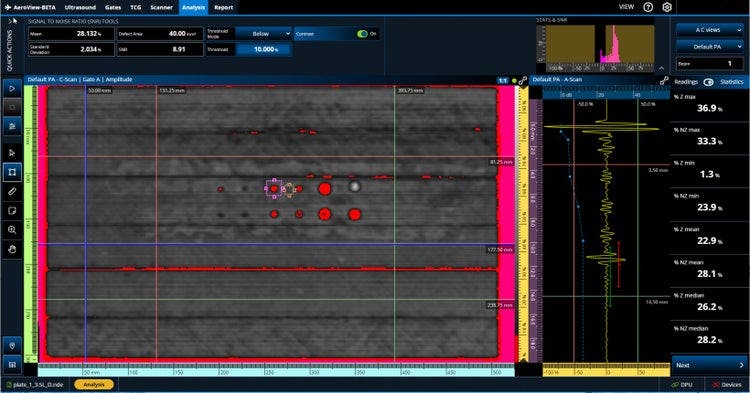
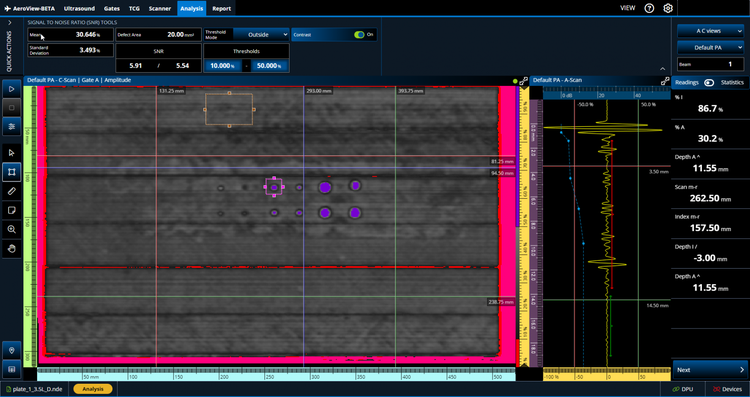
Here the custom palette displays all pixels with an amplitude below 20% in red (left) and all pixels with an amplitude above 60% in purple (right).
The minimum computer requirements for AeroView software are as follows:
AeroView Analysis | |
|---|---|
Product code |
Q1480025 |
Product name |
AeroView-Analysis |
Long description |
AeroView Analysis perpetual software license key. Includes data analysis functionalities only. Does NOT include data acquisition functionalities. AeroView software is compatible with the QuickScan iX PA+ instrument, OmniScan X3 (.nde file only) and OmniScan X4 (.nde). ScanPlan license not included. |
AeroView Inspection | |
|---|---|
Product code |
Q1480026 |
Product name |
AeroView-Inspection |
Long description |
AeroView Inspection perpetual software license key. Includes data acquisition and analysis functionalities. Does NOT include a dedicated analysis key. AeroView software is compatible with the QuickScan iX PA+ instrument, OmniScan X3 (.nde file only) and OmniScan X4 (.nde).. ScanPlan license included. |
AeroView Upgrade | |
|---|---|
Product code |
Q1480027 |
Product name |
AeroView-Upg |
Long description |
AeroView software perpetual license UPGRADE for Inspection features. Current AeroView-A perpetual license number required to upgrade. AeroView software is compatible with the QuickScan iX PA+ instrument. ScanPlan license included. |